The best smart home hubs with local processing can keep automations responsive, reduce cloud dependence, and help your connected devices work together more reliably. The right choice depends on your preferred protocols, device ecosystem, technical comfort, and need for remote access.
We compared 10 leading hubs across automation capability, connectivity, local control, setup requirements, and overall flexibility to help you find the best fit for your home.
Best 10 Smart Home Hubs with Local Processing Picks for 2026
Best Overall

- Preinstalled Home Assistant OS simplifies setup
- Keeps home data on the local hub
- Supports USB expansion for Z-Wave, Zigbee, and Thread
Best For: Privacy-focused Home Assistant beginners
Best Touchscreen Control Panel

- Customizable 8-inch smart home dashboard
- Built-in support for Zigbee, Matter, and Thread
- Controls compatible devices, cameras, and security systems
Best For: Alexa households wanting at-a-glance control
Best for Advanced Local Automation

- Runs automations locally without a required subscription
- Supports Matter, Z-Wave, Zigbee, and Bluetooth
- Advanced Rule Machine handles complex routines
Best For: DIY users building privacy-focused automations
Best for Local Camera Storage

- Stores camera footage locally without cloud dependence
- Supports up to 16 cameras and 64 sensors
- Expandable storage supports a 2.5-inch drive up to 16TB
Best For: Tapo camera owners seeking centralized recordings
Most Versatile Local Hub

- Seven protocols, including Matter and Thread
- Local-first processing with minimal cloud dependency
- Supports 50,000+ devices from 1,000+ brands
Best For: Large, mixed-brand smart homes needing maximum flexibility
Best for Reliable Long-Range Automations

- Executes synced automations locally
- LoRa range reaches up to 2,034 feet
- Local API supports Home Assistant
Best For: YoLink setups needing long range and resilient routines
Best Edge Hub for Aqara Ecosystems

- Edge Hub design supports local automations
- Matter bridge connects Aqara devices to major ecosystems
- PoE, Thread, Zigbee, IR, and encrypted local storage
Best For: Aqara users building a local, Matter-connected home
Local Matter Bridge
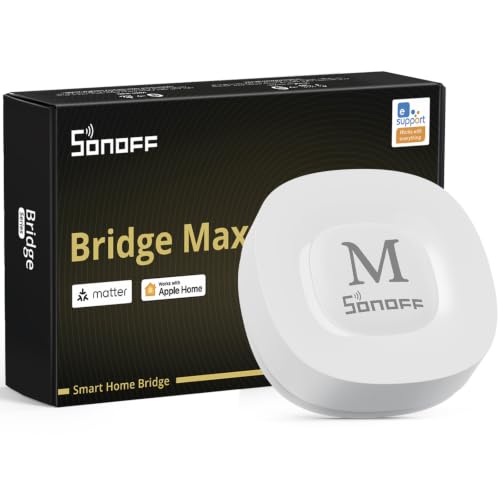
- Bridges Zigbee and BTHome devices to Matter platforms
- Local web console with no cloud required
- Supports Home Assistant, Ethernet, and Wi-Fi
Best For: Privacy-focused Zigbee and Matter bridging
SmartThings Local Automation Hub
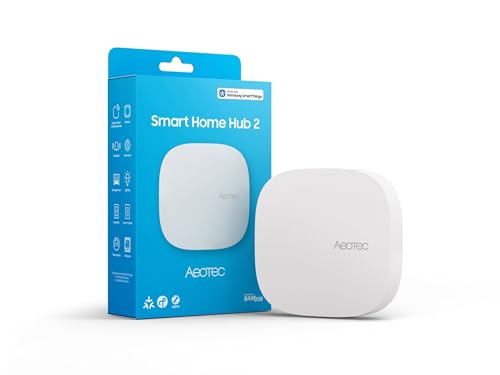
- SmartThings hub with Matter and Zigbee support
- Local automations can work during internet outages
- Wi-Fi and Ethernet connectivity; no Z-Wave
Best For: SmartThings users adding Matter and Zigbee devices
AI Camera Storage Hub
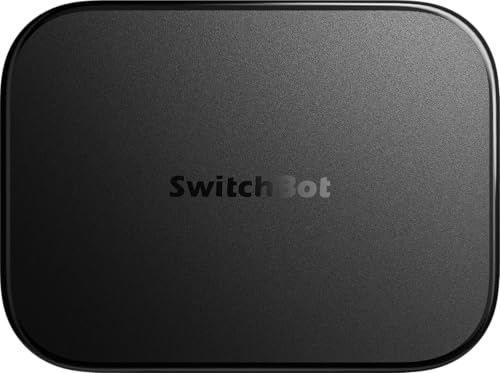
- Local NVR storage with included 16GB microSD card
- Home Assistant pre-installed with Matter Bridge support
- Supports up to eight compatible cameras
Best For: SwitchBot camera users needing local recording and AI features
Best Overall – Home Assistant Green
Home Assistant Green | Smart Home hub with Advanced Automation | Official Home Assistant Hardware
Check Price On AmazonHome Assistant Green is an approachable choice for shoppers seeking smart home hubs with local processing. Home Assistant OS comes preinstalled, and the fanless hub keeps your home’s data on the device while offering a foundation for broad automation and future protocol expansion.
Best For: Homeowners who want a privacy-focused, flexible Home Assistant setup without assembling their own hardware.
Pros:
- Preinstalled Home Assistant OS makes setup as simple as connecting power and Ethernet.
- Local data storage, a quiet fanless design, 4GB of RAM, and 32GB of storage support everyday automations.
- USB expansion supports optional Z-Wave, Zigbee, and Thread devices.
Cons:
- Ethernet is the primary listed network connection, so placement depends on a wired connection.
- Z-Wave, Zigbee, and Thread connectivity requires separate USB devices.
Green is a strong starting point for users who value local control and Home Assistant’s automation depth. Its expandable design also lets you add connectivity as your smart home grows.
Best Touchscreen Control Panel – Amazon Echo Hub
The Amazon Echo Hub combines a wall-mountable touchscreen with a built-in smart home hub, making it a practical option among smart home hubs with local processing for Alexa-centered households. Its customizable dashboard puts device controls, cameras, routines, and security functions in one place.
Best For: Alexa users who want a dedicated, visual control panel for compatible smart home devices.
Pros:
- Works with Wi-Fi, Bluetooth, Zigbee, Matter, Sidewalk, and Thread devices.
- Customizable sections and resizable controls make frequently used devices easy to reach.
- Supports compatible cameras, locks, alarms, sensors, routines, and security systems.
Cons:
- Some features, including Alexa+ and compatible Ring subscription functions, require separately sold services or subscriptions.
- Wall-mounting cable-management hardware and tabletop stands are sold separately.
Echo Hub is less focused on advanced DIY automation than dedicated platforms, but its screen and broad Alexa compatibility make everyday control especially accessible for families.
Best for Advanced Local Automation – Hubitat Elevation C-8 Pro
Hubitat Elevation C-8 Pro is designed for shoppers prioritizing fast, private automation. As one of the more automation-focused smart home hubs with local processing, it runs routines directly on the hub, supports multiple protocols, and continues working for listed automations when the internet is unavailable.
Best For: DIY smart home builders who want complex local rules, broad protocol support, and no required subscription.
Pros:
- Local processing provides near-instant responses and keeps device data at home.
- Supports Matter 1.5, Z-Wave 800 Series Long Range, Zigbee 3.0, and Bluetooth.
- Rule Machine and the AI-assisted routine builder support multi-condition automations without requiring programming.
- Works with Alexa, Google Home, and Apple HomeKit, with compatibility across 1,000-plus devices and 100-plus brands.
Cons:
- Its advanced rule engine and broad configuration options may require more setup than simpler hubs.
- Some integrations and custom automations may depend on documentation or community-supported apps and drivers.
The C-8 Pro is a compelling fit when reliability, privacy, and automation depth matter more than a polished touchscreen. Its external antennas and multi-protocol support are useful in larger or device-dense homes.
Best for Local Camera Storage – Tapo H500
The Tapo H500 is a camera- and sensor-focused hub for shoppers interested in smart home hubs with local processing. It stores footage on the hub instead of relying on cloud storage, supports a substantial Tapo device network, and adds local monitoring features such as HDMI viewing and an audible alarm.
Best For: Tapo users who want centralized camera management, local recordings, and expandable storage.
Pros:
- Connects up to 16 Tapo cameras and 64 Tapo Sub-G sensors, with continuous recording for up to four cameras.
- Includes 16GB of storage and supports an optional 2.5-inch SATA HDD or SSD up to 16TB.
- Stores footage locally for access during network outages and avoids separate microSD cards for each camera.
- HDMI output supports up to four live views, while the built-in microphone and speaker enable two-way audio.
Cons:
- It is primarily tailored to the Tapo camera and sensor ecosystem rather than broad, general-purpose smart home protocols.
- Additional HDD or SSD storage is sold separately.
- Facial recognition is unavailable in Illinois and Texas.
For Tapo households, the H500 consolidates surveillance storage and viewing in a useful local hub. It is a more specialized choice than a general automation platform, but its local recording and expandable storage are practical advantages.
Most Versatile Local Hub – Homey Pro (2026)
Homey Pro (2026) is a strong choice for shoppers seeking smart home hubs with local processing and broad device compatibility. It combines Wi-Fi, Zigbee, Z-Wave Plus, Bluetooth Low Energy, infrared, Matter, and Thread in one hub, with automations processed on the device and minimal cloud dependency.
Best For: Large or mixed-brand smart homes that need extensive protocol support and advanced automation.
Pros:
- Supports seven connectivity technologies, including Matter and Thread.
- Local processing keeps data and automation activity on the hub, with minimal cloud dependency.
- Works with more than 50,000 devices from over 1,000 brands.
- Homey Flow and Advanced Flow support detailed routines, energy tracking, and sensor alerts.
Cons:
- Its broad feature set may be more than smaller setups require.
- Compatibility should be checked for specific brands and devices before purchase.
Homey Pro stands out when flexibility matters most. Its unusually wide protocol support and local-first operation make it a capable foundation for expanding, multi-brand homes.
Best for Reliable Long-Range Automations – YoLink Local Hub
The YoLink Local Hub is designed for smart home hubs with local processing, handling synced schedules, timers, and automations locally after setup. Its LoRa connection reaches up to 2,034 feet, while a Local API supports integrations with systems such as Home Assistant.
Best For: YoLink users who prioritize long range, low-latency routines, and local-network control.
Pros:
- Runs preconfigured local automations even when the external internet connection is down.
- LoRa technology provides a stated range of up to 2,034 feet.
- Offers a Local API for third-party local control centers such as Home Assistant.
- Supports Ethernet or Wi-Fi connectivity and includes battery backup.
Cons:
- Internet is required for initial provisioning, changing local rules, and syncing settings.
- Local access during a blackout still depends on powered network equipment.
- Its local automation features are centered on compatible YoLink devices.
This hub is a practical fit for dependable YoLink automations across larger properties. It offers local execution and a useful API, but buyers should plan for internet during setup and maintain power to their network.
Best Edge Hub for Aqara Ecosystems – Aqara Smart Home Hub M3
The Aqara Smart Home Hub M3 is a privacy-focused option among smart home hubs with local processing. It acts as an Edge Hub for local automations, supports Aqara Zigbee and Thread devices, and bridges compatible Aqara devices into Matter ecosystems including Home Assistant.
Best For: Aqara households wanting local automation, Matter bridging, and flexible wired or wireless installation.
Pros:
- Prioritizes local automation through its Edge Hub design.
- Supports up to 127 Aqara Zigbee devices and 127 Thread devices, with repeaters needed for Thread.
- Includes Matter bridge functionality and compatibility with Apple HomeKit, Alexa, SmartThings, and Home Assistant.
- Offers PoE, dual-band Wi-Fi, encrypted 8GB local storage, and IR control with feedback.
Cons:
- The Zigbee capacity applies to Aqara Zigbee devices, not third-party Zigbee devices.
- Some cloud-based notifications still require internet access.
- A USB-C power adapter is not included.
The M3 is especially compelling for Aqara-focused installations that want local operation and Matter integration. Its PoE option, encrypted storage, and IR learning add practical flexibility, though ecosystem limitations are worth noting.
Local Matter Bridge – SONOFF Bridge Max
The SONOFF Bridge Max is a practical choice among smart home hubs with local processing if you need to connect Zigbee, BTHome, and eWeLink devices with Matter-compatible platforms. Its LAN-accessible web console supports local configuration without requiring an app or cloud service.
Best For: Users building a privacy-focused Zigbee setup with Matter platforms or Home Assistant.
Pros:
- Bridges Zigbee, BTHome, and eWeLink devices to Alexa, Google Home, and Apple Home through Matter.
- Offers a local web console and supports local automations without cloud dependence.
- Works with Home Assistant through MQTT and supports Ethernet or Wi-Fi.
- Can pair with Zigbee sensors for a local security setup with a built-in 90 dB alarm.
Cons:
- It is a Matter Bridge, not a Matter Controller, so it cannot add Matter devices directly.
- Its broad functionality centers on Zigbee and supported bridge ecosystems.
The Bridge Max stands out for local control and cross-platform bridging, especially for Zigbee users. Verify the distinction between Matter Bridge and Matter Hub before buying.
SmartThings Local Automation Hub – Aeotec Smart Home Hub2
The Aeotec Smart Home Hub2 is one of the more ecosystem-focused smart home hubs with local processing, combining SmartThings, Matter, and Zigbee support. Local automation execution can help routines continue during temporary internet outages, while Wi-Fi and Ethernet simplify installation.
Best For: SmartThings households that want Matter and Zigbee compatibility with local routines.
Pros:
- Runs on the SmartThings platform and supports custom routines for lighting, security, comfort, and energy use.
- Supports Matter and Zigbee devices across lighting, sensors, plugs, switches, and thermostats.
- Many local automations can continue working during temporary internet outages.
- Offers Wi-Fi and wired Ethernet setup with Alexa and Google Assistant compatibility.
Cons:
- Z-Wave is not supported.
- Some features and device compatibility depend on the SmartThings ecosystem.
This hub is a strong fit for buyers already invested in SmartThings who want a unified control system with local automation. Choose another option if Z-Wave support is essential.
AI Camera Storage Hub – SwitchBot AI Hub
The SwitchBot AI Hub combines smart home control with local camera storage, making it a specialized option among smart home hubs with local processing. It includes Home Assistant, supports Matter bridging, and stores camera events on a supplied 16GB microSD card instead of requiring all recordings to remain in the cloud.
Best For: SwitchBot users who want local NVR storage, camera-aware features, and Home Assistant in one hub.
Pros:
- Stores camera events locally on the included 16GB microSD card, with expansion options up to 1TB or a 16TB external drive.
- Includes Home Assistant and works as a Matter Bridge for supported setups.
- Can manage up to eight compatible cameras in one place.
- Provides faster local automations for select SwitchBot BLE devices.
Cons:
- AI features require an AI+ subscription and compatible cameras.
- It does not include IR control for TVs or air conditioners.
- Camera and AI capabilities depend on compatible SwitchBot or RTSP devices.
The AI Hub is best viewed as a camera-and-automation centerpiece rather than a universal hub. Its local recording and pre-installed Home Assistant are compelling, but buyers should budget for compatible cameras and any required AI+ subscription.
How We Picked the Best Smart Home Hubs with Local Processing
We focused on hubs that can perform at least some important routines locally rather than sending every command to a cloud service. We also considered protocol support, including Matter, Thread, Zigbee, Z-Wave, Wi-Fi, Bluetooth, and infrared; compatibility with popular voice assistants; automation depth; ease of setup; and the availability of local APIs or Home Assistant integration.
Because “local processing” varies by platform, we looked beyond marketing claims. Some hubs offer broad offline automation, while others mainly provide local device control, local APIs, or local camera storage. Check the manufacturer’s current documentation before buying if dependable offline operation is essential.
Quick Comparison
| Best For | Look For |
|---|---|
| Maximum flexibility | Home Assistant compatibility, local APIs, and broad protocol support |
| Simple touchscreen control | A polished interface and strong voice-assistant integration |
| Z-Wave and Zigbee automation | Built-in radios and reliable local routines |
| Camera-focused homes | Local video storage and on-device or hub-assisted AI features |
| One-brand ecosystems | Native compatibility with the devices you already own |
Key Buying Factors for Local-Processing Hubs
Protocol Compatibility
Inventory your existing devices before choosing a hub. Matter improves cross-platform compatibility, but it does not replace every Zigbee or Z-Wave device. Thread support can also matter for newer low-power accessories, while infrared is useful for televisions and other traditional appliances.
What “local” Actually Means
Determine which functions continue working without internet access. Basic on/off rules may run locally, while remote notifications, voice assistants, cloud-based AI, backups, and some integrations may still require an internet connection.
Automation and Expansion
Look for conditional logic, schedules, scenes, presence detection, dashboards, scripting, and support for third-party integrations. A hub that meets today’s needs but cannot scale may cost more to replace later.
Setup and Maintenance
Advanced platforms offer more control but often require more configuration and troubleshooting. Consider firmware updates, backup tools, documentation, mobile apps, and whether you are comfortable managing a more technical system.
Who Should Buy Which Smart Home Hubs with Local Processing?
Choose Home Assistant Green or another Home Assistant-centered option if you want extensive customization and are willing to learn. Hubitat Elevation and Homey Pro are strong choices for users who want powerful automation with dedicated hub hardware. Amazon Echo Hub and Aeotec Smart Home Hub2 suit households already invested in Alexa or SmartThings, respectively.
Aqara, Tapo, YoLink, and SONOFF hubs make the most sense when your home is built primarily around that manufacturer’s devices or a specific protocol. SwitchBot’s hub is worth considering for users prioritizing camera storage and newer AI-oriented features. Before purchasing, verify device compatibility, regional availability, and which features require subscriptions or cloud access.