The best smart home hubs under $100 can bring lights, sensors, switches, remotes, and security devices into one easier-to-manage system. They also help reduce app switching and enable automations that may not be possible with standalone devices.
This roundup compares affordable hubs across major ecosystems, including Zigbee, Bluetooth, Wi-Fi, Z-Wave, Matter, infrared, and proprietary platforms. Before choosing one, consider device compatibility, network requirements, automation features, and how much room you want to leave for future upgrades.
Best 10 Smart Home Hubs Under 100 Picks for 2026
Lighting-Centered Choice
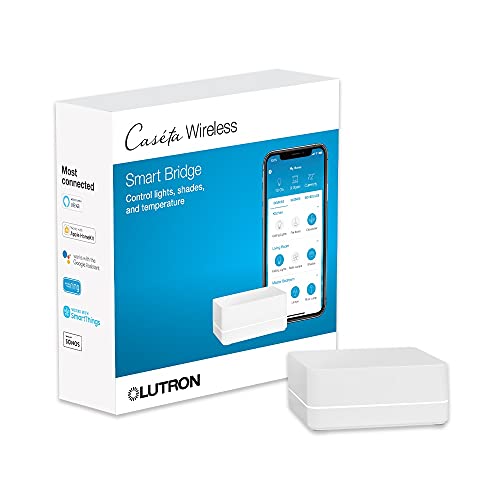
- Supports up to 75 Caseta devices
- Works with major voice and smart-home platforms
- Uses Clear Connect Technology alongside Wi-Fi
Best For: Expanding a Caseta lighting system
Sensor and Alert Pick

- Supports up to 64 Tapo devices
- Includes a chime and up to 90 dB siren
- Requires 2.4GHz Wi-Fi
Best For: Tapo sensors, buttons, and home alerts
Long-Range Option

- Lists a maximum range of 2,034 feet
- Plug-in 5-volt hub design
- Supports smartphone and voice control
Best For: Large-area YoLink device coverage
All-in-One Control Pick

- Combines hub, sensors, and IR remote control
- Works with Alexa, Google Home, and Apple Home
- Supports Matter for select SwitchBot devices
Best For: SwitchBot automation and IR appliance control
Best Local Matter Bridge
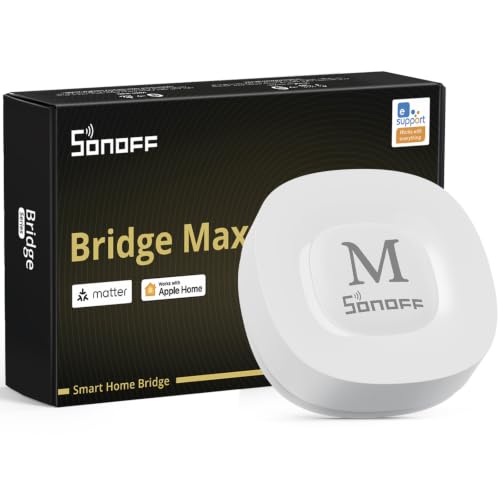
- Bridges Zigbee, BTHome, and eWeLink devices to Matter platforms
- Local web console supports cloud-free management
- Works with Home Assistant, Alexa, Google Home, and Apple Home
Best For: Local Zigbee integration and privacy-focused smart homes
Best Aqara and Thread Hub
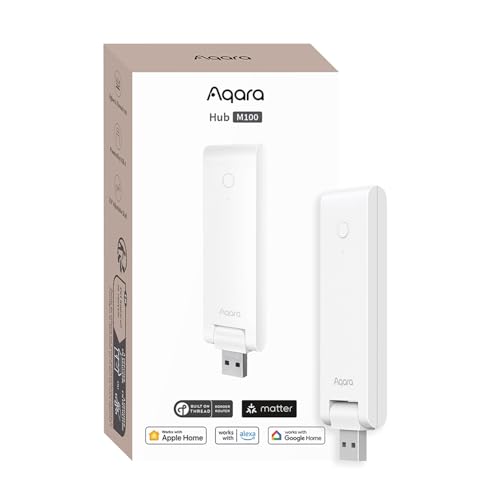
- Supports Aqara Zigbee and Thread devices
- Provides Matter Controller and Bridge functionality
- Local automation with compact, flexible USB-A power
Best For: Aqara-focused homes adding Thread and Matter support
Best Tuya Multi-Mode Gateway
Smart Zigbee and Bluetooth Hub

- Combines Zigbee 3.0 and Bluetooth Mesh
- Controls devices through Tuya or Smart Life
- Supports Alexa, Google Home, and up to 128 devices
Best For: Tuya and Smart Life device ecosystems
Most Versatile

- Supports Z-Wave, Zigbee, Wi-Fi, BLE, and infrared
- Works with thousands of compatible smart home devices
- Includes three months of Homey Premium
Best For: Mixed-protocol smart homes
Best for Tuya Basics
Tuya ZigBee & Bluetooth Gateway

- Combines Zigbee 3.0 and Bluetooth 5.0
- Works with Tuya Smart and Smart Life apps
- Supports Alexa and Google Assistant control
Best For: Small Tuya or Smart Life setups
Best for Large Tuya Setups
MOES ZigBee & Bluetooth Mesh Hub

- Supports Zigbee 3.0 and Bluetooth mesh
- Connects up to 128 Tuya devices
- Includes local automation and security functions
Best For: Larger Tuya-based smart homes
Lighting-Centered Choice – Caseta Smart Hub
Among smart home hubs under 100, the Lutron Caseta Smart Hub stands out for households building around Caseta lighting. It connects to your router, works with Alexa, Apple HomeKit, Google Assistant, Ring, Serena shades, and Sonos, and supports up to 75 Caseta devices.
Best For: Expanding a Caseta lighting system with broad smart-home compatibility.
Pros:
- Supports up to 75 Caseta devices.
- Works with Alexa, Apple HomeKit, Google Assistant, Ring, Serena shades, and Sonos.
- Clear Connect Technology helps avoid competing with Wi-Fi-connected devices.
- Simple setup through the Lutron app and router connection.
Cons:
- Coordinating Caseta dimmers and switches are sold separately.
- Its primary strength is managing Lutron Caseta devices rather than serving as a universal hub.
This is a practical choice if reliable lighting control and ecosystem compatibility matter more than supporting every smart-home brand. Its 75-device capacity also leaves room to expand.
Sensor and Alert Pick – Tapo Smart Hub H100
The Tapo Smart Hub H100 is one of the more focused smart home hubs under 100, designed for Tapo sensors, switches, and buttons. It requires a 2.4GHz Wi-Fi connection, supports up to 64 Tapo devices, and includes a built-in chime and siren.
Best For: Tapo users who want low-power sensors, automations, and home alerts.
Pros:
- Connects up to 64 Tapo devices.
- Offers a stated range of up to 30 meters.
- Low-power wireless connectivity can extend compatible device battery life.
- Built-in chime and siren can support alerts, including a siren rated up to 90 dB.
Cons:
- Requires a 2.4GHz Wi-Fi network.
- Cannot directly connect to Tapo smart plugs or smart lighting.
- Best suited to the Tapo ecosystem rather than mixed-brand setups.
Choose this hub when sensors and alert routines are the priority. Its device capacity and low-power protocol make it a sensible foundation for a growing Tapo setup, provided you understand its ecosystem limitations.
Long-Range Option – YoLink Smart Home Hub
For shoppers comparing smart home hubs under 100, the YoLink Smart Home Hub is notable for its stated maximum range of 2,034 feet. It is a plug-in hub with wired connectivity, smartphone compatibility, and voice-control support.
Best For: Extending YoLink-connected devices across a large area.
Pros:
- Lists a maximum range of up to 2,034 feet.
- Plug-in design uses a 5-volt connection.
- Supports smartphone compatibility and voice control.
- Compact, lightweight design weighs about 0.19 kg.
Cons:
- The supplied specifications provide limited detail about supported YoLink device capacity and automation features.
- This regular hub model does not include battery backup.
- The notes do not identify specific voice assistants or broader third-party compatibility.
The YoLink hub is most compelling when coverage is the deciding factor. Its listed range is substantially longer than many typical indoor wireless setups, but buyers should verify compatibility with their intended YoLink devices.
All-in-One Control Pick – SwitchBot Hub 2
The SwitchBot Hub 2 combines hub functions with temperature, humidity, and light monitoring, making it a versatile choice among smart home hubs under 100. It supports 2.4GHz Wi-Fi, IR appliance control, Alexa, Google Home, Apple Home, and Matter-enabled SwitchBot products.
Best For: Managing SwitchBot devices while consolidating IR remotes and environmental monitoring.
Pros:
- Measures temperature, humidity, and light, with app-based remote monitoring.
- Can learn IR remotes for appliances such as TVs and air conditioners.
- Works with Alexa, Google Home, and Apple Home through its stated integrations.
- Supports Matter for SwitchBot Lock, Curtains, and Blind Tilts, with HomeKit support.
Cons:
- Requires 2.4GHz Wi-Fi.
- Its listed maximum supported-device count is six.
- HomeKit support through Matter is specifically described for certain SwitchBot products.
This hub makes the most sense for buyers who want more than a device bridge. Its built-in sensors, IR learning, scene triggers, and smart-home integrations provide useful flexibility, though the stated device limit may constrain larger installations.
Best Local Matter Bridge – SONOFF Bridge Max
For shoppers comparing smart home hubs under 100, the SONOFF Bridge Max stands out as a local-focused Matter bridge and Zigbee gateway. It can connect SONOFF and many third-party Zigbee devices, BTHome products, and eWeLink devices with Matter platforms including Alexa, Google Home, Apple Home, and Home Assistant.
Best For: Users who want local device bridging, broad Zigbee compatibility, and Home Assistant integration.
Pros:
- Bridges Zigbee, BTHome, and eWeLink devices to Matter ecosystems.
- Offers a local web console without requiring cloud control.
- Supports Wi-Fi and RJ45 Ethernet connectivity.
- Includes a 90 dB alarm and mobile notifications when paired with Zigbee sensors.
Cons:
- It is a Matter Bridge, not a Matter Controller, so it cannot add Matter devices directly.
- Some setup and advanced integrations may require MQTT or Home Assistant knowledge.
The Bridge Max is a strong choice for privacy-conscious households building around Zigbee and local automation. Verify that your devices need bridge functionality rather than Matter Controller support before buying.
Best Aqara and Thread Hub – Aqara Smart Hub M100
The Aqara Smart Hub M100 is a flexible option among smart home hubs under 100 for households using Aqara Zigbee products and Thread devices. It also acts as a Matter Controller and Matter Bridge, with local automation for supported Zigbee and Matter devices.
Best For: Aqara users who want Thread support, Matter integration, and compact USB-powered installation.
Pros:
- Supports up to 20 Aqara Zigbee devices and 20 Thread devices.
- Bridges Aqara Zigbee products to Apple Home, Alexa, Home Assistant, and other Matter ecosystems.
- Runs supported Zigbee and Matter automations locally for fast response.
- Uses a flexible USB-A power connection and adjustable 210-degree shaft.
Cons:
- Third-party Zigbee devices are not supported.
- A 5V/0.5A power adapter is required but not included.
- Cloud push notifications still require a cloud connection.
The M100 offers useful protocol flexibility in a small package, particularly for Aqara-based setups. Its device compatibility limits and adapter requirement are important considerations before expanding an existing mixed-brand Zigbee network.
Best Tuya Multi-Mode Gateway – Smart Zigbee and Bluetooth Hub
Among smart home hubs under 100, this compact multi-mode gateway is designed for Tuya and Smart Life households. It combines Zigbee 3.0 and Bluetooth Mesh connectivity, allowing compatible devices to be managed remotely through the app or by voice with Alexa and Google Home.
Best For: Tuya or Smart Life users who need a simple gateway for Zigbee and Bluetooth devices.
Pros:
- Combines Zigbee 3.0 and Bluetooth Mesh in one gateway.
- Supports remote control, device grouping, and automation through the Smart Life or Tuya app.
- Works with Alexa and Google Home voice control.
- Supports up to 128 Tuya smart home devices.
Cons:
- Supports Tuya and Smart Life devices only.
- Requires a 2.4GHz network.
- Its usefulness depends on staying within the Tuya ecosystem.
This gateway is a practical low-cost starting point for a Tuya-based smart home, especially if you use both Zigbee and Bluetooth devices. It is not a good fit for shoppers seeking broad cross-brand compatibility.
Most Versatile – Homey Bridge
For shoppers comparing smart home hubs under 100, Homey Bridge stands out for its broad protocol support and brand compatibility. It connects Z-Wave Plus, Zigbee, Wi-Fi, Bluetooth Low Energy, and infrared devices, while also supporting automation through the Homey app.
Best For: Homes with devices using several different protocols and brands.
Pros:
- Supports Z-Wave Plus, Zigbee, Wi-Fi, BLE, and infrared.
- Works with thousands of devices from brands including Philips Hue, Sonos, IKEA, Yale, and Aqara.
- Offers app-based Flows and optional Alexa, Siri Shortcuts, and Google Assistant voice control.
- Designed with privacy in mind and includes three months of Homey Premium.
Cons:
- Homey Premium is required to connect more than five devices and access Homey Insights.
- Voice assistants and connected devices are sold separately.
- Compatibility should be checked in the Homey App Store before purchase.
Homey Bridge is the strongest choice here for a mixed-device setup, especially if flexibility across protocols matters more than avoiding a subscription for larger installations.
Best for Tuya Basics – Tuya ZigBee & Bluetooth Gateway
This Tuya gateway is a straightforward option among smart home hubs under 100 if your existing devices use the Tuya or Smart Life platform. Its Zigbee 3.0 and Bluetooth 5.0 support enables app and voice control over compatible devices through a 2.4GHz Wi-Fi connection.
Best For: Tuya or Smart Life users who want a compact dual-protocol gateway.
Pros:
- Combines Zigbee 3.0 and Bluetooth 5.0 connectivity.
- Supports remote control through the Smart Life or Tuya Smart app.
- Works with Amazon Alexa and Google Assistant voice control.
- Uses a simple power-and-app setup without requiring a network cable.
Cons:
- Only compatible with Tuya smart devices and their protocols.
- Not compatible with blinds, Sengled bulbs, or door locks according to the supplied notes.
- Requires a 2.4GHz Wi-Fi connection.
This hub can be a practical, low-complexity pick for a Tuya-only setup, but its narrow platform compatibility makes it unsuitable as a universal smart home controller.
Best for Large Tuya Setups – MOES ZigBee & Bluetooth Mesh Hub
MOES is worth considering among smart home hubs under 100 when you want one gateway for a larger Tuya-based installation. It supports Zigbee 3.0, Bluetooth mesh, and 2.4GHz Wi-Fi, with capacity for up to 128 compatible Tuya devices.
Best For: Larger Tuya smart homes using Smart Life automation and multiple device types.
Pros:
- Combines Zigbee 3.0 and Bluetooth mesh in one gateway.
- Supports up to 128 Tuya smart home devices.
- Offers local scenarios, local automation, and security functions.
- Supports Smart Life remote control plus Alexa and Google Home voice control.
Cons:
- Only supports Tuya devices and the Smart Life app.
- Works on 2.4GHz Wi-Fi, not 5GHz.
- Its broader capacity may be unnecessary for a small installation.
MOES is the better fit than a basic Tuya bridge when device count and local automation features are priorities, provided your accessories are all within the Tuya ecosystem.
How We Picked the Best Smart Home Hubs Under 100
We focused on hubs that offer useful connectivity or automation features at an accessible price. The selection includes dedicated ecosystem hubs, multiprotocol gateways, and compact bridges designed for specific device families. We considered supported wireless standards, voice-assistant compatibility, app quality, setup requirements, sensor and remote-control features, and the likelihood that a hub can support a growing smart home.
Compatibility matters more than a long feature list. A hub may be excellent for Zigbee, Matter, Z-Wave, infrared, or a particular brand while being a poor fit for another setup. Check supported devices and regional requirements before buying.
Quick Comparison
- Best for Lutron lighting: Lutron Caseta Smart Hub.
- Best for Tapo devices: Tapo Smart Hub H100.
- Best for long-range sensors: YoLink Smart Home Hub.
- Best for climate and infrared control: SwitchBot Hub 2.
- Best for flexible protocols: Homey Bridge or Aqara Smart Hub M100, depending on your devices.
- Best for Tuya or Smart Life setups: the Tuya-compatible Zigbee and Bluetooth gateways.
Key Buying Factors for Smart Home Hubs Under $100
Device and Protocol Compatibility
Start with the products you already own. Zigbee and Bluetooth hubs can connect compatible sensors and switches, while Matter may simplify cross-platform control. Z-Wave is useful for supported security and automation devices, and infrared is valuable for controlling televisions, air conditioners, and other traditional remotes.
Network and Internet Requirements
Some hubs require 2.4GHz Wi-Fi, an Ethernet connection, or an active cloud account. Review these requirements before purchasing, especially if your router uses separate networks or has limited space. Local automation support can also improve reliability when internet service is unavailable.
Voice Assistants and Platform Support
Confirm support for Amazon Alexa, Google Home, Apple Home, SmartThings, Matter, or another platform you use. “Works with” compatibility can vary by device type, so check whether the specific lights, sensors, or routines you want are supported.
Expansion and Automation
Choose a hub that matches your likely growth. A single-brand bridge may be simple and dependable, while a multiprotocol hub can offer more flexibility. Look for scenes, schedules, triggers, notifications, and sensor-based routines rather than focusing only on remote control.
Who Should Buy Which Smart Home Hubs Under 100?
Choose a dedicated brand hub if your home already centers on one ecosystem and you want straightforward setup. Pick a multiprotocol option if you are combining devices from several manufacturers or expect to expand. A hub with infrared is particularly useful for adding older appliances to a smart-home routine, while a sensor-focused hub makes sense for doors, motion, temperature, and leak monitoring.
For a first installation, prioritize compatibility and reliable setup over the largest feature list. The right choice among smart home hubs under $100 is the one that works with your existing devices and supports the automations you will actually use.