A USB extension cable can make a desk, entertainment center, or home office far easier to organize, especially when a device’s included cable falls just short. The right option balances length, data speed, build quality, and compatibility without exceeding your budget.
We selected 10 USB extension cables under $50, ranging from compact braided cables and multipacks to active repeater models designed for longer runs. The comparison below helps you choose the right cable for peripherals, cameras, printers, hubs, and other USB-A equipment.
Best 10 USB Extension Cables Under 50 Picks for 2026
Best Braided Pick
QianLink USB 3.0 Extension Cable

- Up to 5Gbps transfer speed
- Braided, reinforced construction
- Compatible with many USB peripherals
Best For: Short desk and home-office extensions
Best Simple Desktop Option
StarTech 5ft USB 2.0 Extension Cable
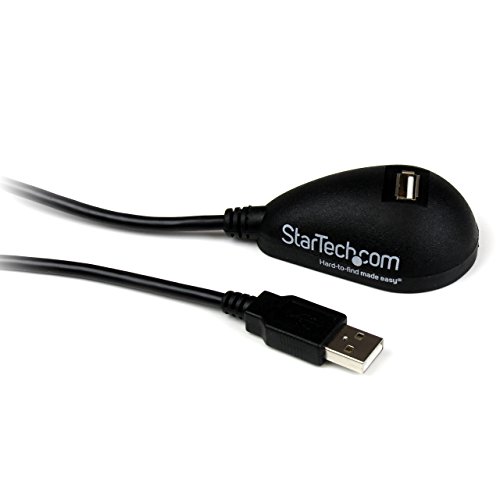
- Adds 5 feet of USB-A reach
- 480Mbps USB 2.0 transfer rate
- Lifetime warranty listed
Best For: Basic desktop peripheral connections
Best Active Long-Range Pick

- 50-foot active extension
- Built-in signal booster
- Not designed for charging
Best For: Long runs to low-current USB peripherals
Fast Braided Pick
UGREEN 3-Foot USB 3.0 Extension 2-Pack
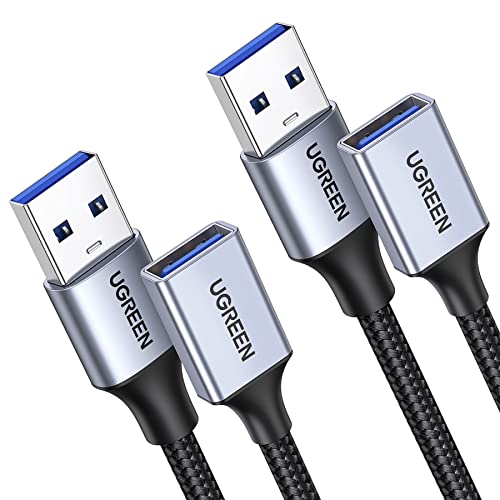
- USB 3.0 speeds up to 5 Gbps
- Braided build with shielded connectors
- Two cables for desks and peripherals
Best For: Everyday USB 3.0 device extensions
Bulk Value Choice
Smays 5-Foot USB 2.0 Extension 10-Pack

- Includes 10 five-foot cables
- Supports up to 480 Mbps
- Useful for replacements and multiple devices
Best For: Homes, offices, and travel kits needing spares
Long-Range Solution
Monoprice 49-Foot Active USB 2.0 Extension

- Reaches up to 49 feet
- Active electronics boost the USB signal
- Kinect and PS3 Move compatible
Best For: Long-distance USB 2.0 connections
Best Multi-Pack Value
Amazon Basics 10-Pack USB-A 2.0 Extension Cable

- Ten 6.5-foot USB-A extension cables
- 480Mbps USB 2.0 data transfer
- Gold-plated, shielded connectors
Best For: Bulk USB-A extensions for home offices and shared workspaces
Best Long-Reach Speed
JSAUX 2-Pack 10-Foot USB 3.0 Extension Cable

- Two 10-foot braided cables
- Up to 5Gbps USB 3.0 transfer
- 18-month warranty included
Best For: Long-distance extensions for webcams, drives, hubs, and consoles
Best Compact Cable Management
3-Pack USB 2.0 4-Foot Extension Cable
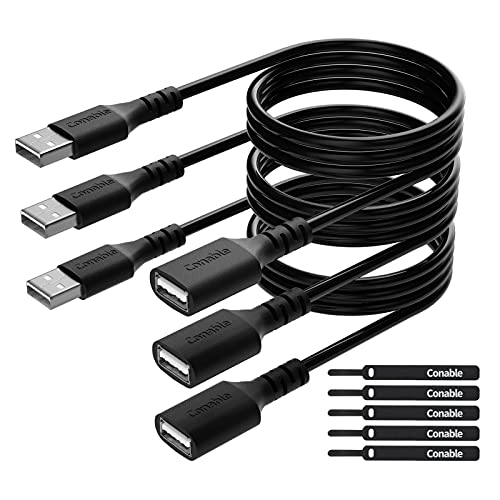
- Three 4-foot USB-A cables
- Includes five cable ties
- 480Mbps data and charging support
Best For: Neat desktop setups with printers and everyday USB peripherals
Best Braided Pick – QianLink USB 3.0 Extension Cable
For shoppers comparing usb extension cables under 50, the QianLink USB 3.0 model is a compact 3-foot option with up to 5Gbps transfer speeds. Its braided construction and broad peripheral compatibility make it a practical choice for everyday desk setups.
Best For: Extending webcams, hubs, keyboards, printers, hard drives, and other USB peripherals near a desk or TV.
Pros:
- USB 3.0 supports data transfer speeds up to 5Gbps and remains backward compatible with USB 2.0, 1.1, and 1.0.
- Nylon-braided jacket, reinforced joints, nickel-plated connectors, and an aluminum alloy case support durability.
- Designed for more than 40,000 bend tests and helps reduce frequent plugging and unplugging at device ports.
Cons:
- The listed cable length is 3 feet, so it may not suit long-distance setups.
- It is a USB-A extension cable, not a USB-C extension solution.
The QianLink stands out when you want fast USB 3.0 performance in a short, flexible cable. Choose a longer version if your devices are farther apart.
Best Simple Desktop Option – StarTech 5ft USB 2.0 Extension Cable
Among usb extension cables under 50, this StarTech cable is a straightforward 5-foot USB 2.0 option for relocating a USB-A port to a more convenient spot. It focuses on easy installation and broad basic peripheral support.
Best For: Connecting webcams, cameras, MP3 players, flash drives, and other USB 2.0 peripherals from a desktop or laptop.
Pros:
- Male-to-female USB-A design extends an available computer USB port by 5 feet.
- Supports USB 2.0 data transfer speeds up to 480Mbps.
- Useful for moving a port onto a desk or another easier-to-reach location.
- Includes a lifetime warranty according to the supplied details.
Cons:
- USB 2.0 is slower than the USB 3.0 alternatives in this roundup.
- The supplied specifications list charging as a recommended use, but do not indicate high-power charging support.
This is a sensible pick when convenience matters more than maximum speed. Its 5-foot length is useful for ordinary desktop cable management and peripheral access.
Best Long USB 3.0 Cable – 20ft USB 3.0 Extension Cord
If you need extra reach from usb extension cables under 50, this 20-foot USB 3.0 extender is designed for long-distance indoor connections. It combines up to 5Gbps data transfer with a flexible PVC jacket and compatibility with many common USB devices.
Best For: Extending connections between computers, TVs, monitors, hubs, printers, webcams, and other low-power USB peripherals across a room.
Pros:
- 20-foot length offers substantially more reach than standard desk cables.
- USB 3.0 supports data speeds up to 5Gbps and works with USB 2.0 and 1.1 devices.
- Multilayer shielding, nickel-plated connectors, and a flexible PVC jacket support stable everyday use.
- Includes an 18-month after-sales service and 24-hour customer support according to the listing.
Cons:
- The listed maximum current is 1A, so it is not intended for demanding power requirements.
- The long length may be more cable than needed for a nearby desktop setup.
This cable is the practical choice when distance is the main challenge. For room-to-room or entertainment-center routing, its 20-foot length provides flexibility while retaining USB 3.0 performance.
Best Active Long-Range Pick – 50ft USB 2.0 Repeater Cable
LDKCOK USB 2.0 Type A Male to A Female Active Repeater Extension Cable 50ft, High Speed 480 Mbps
Check Price On AmazonFor shoppers seeking usb extension cables under 50 with maximum reach, this 50-foot active repeater cable uses a built-in signal booster to extend USB 2.0 connections. It is intended for data peripherals rather than charging devices.
Best For: Long-distance connections to low-current devices such as printers, scanners, mice, keyboards, flash drives, and wireless adapters.
Pros:
- 50-foot active extension provides substantial reach for indoor or outdoor setups.
- Built-in FE1.1s signal booster supports USB 2.0 transfer speeds up to 480Mbps.
- Triple shielding and a thick copper core help support signal quality and reduce interference.
- Compatible with Windows, Mac, Linux, and Chromebook systems according to the listing.
Cons:
- It cannot be used for charging devices.
- Its low-current design is not suitable for every USB peripheral, including certain cameras and DVRs.
- USB 2.0 performance is slower than USB 3.0 alternatives.
This is the specialist option for unusually long USB runs. The active repeater design makes it more suitable than a passive cable for distant, low-power data peripherals, provided you observe the charging and device limitations.
Fast Braided Pick – UGREEN 3-Foot USB 3.0 Extension 2-Pack
For shoppers comparing usb extension cables under 50, this two-pack is a strong everyday option when you need USB 3.0 performance in a compact length. Each 3-foot male-to-female cable supports data transfer up to 5 Gbps and charging up to 2A, making it suitable for extending peripherals without sacrificing useful speed.
Best For: Desks, entertainment centers, and home offices using webcams, hubs, hard drives, printers, keyboards, or other USB peripherals.
Pros:
- USB 3.0 transfer speeds up to 5 Gbps.
- Two 3-foot cables provide convenient spare or dual-device coverage.
- Nylon braiding, aluminum-alloy connectors, and multilayer shielding add durability and help reduce interference.
- Plug-and-play design requires no drivers.
Cons:
- The 3-foot length may not suit setups requiring a long reach.
- Designed for indoor use according to the product details.
Choose the UGREEN if you want a durable, faster-than-USB-2.0 extension for everyday peripherals and value having two cables in the package.
Bulk Value Choice – Smays 5-Foot USB 2.0 Extension 10-Pack
If you need several affordable cables, this 10-pack stands out among usb extension cables under 50 for its quantity and practical 5-foot length. These USB 2.0 male-to-female extenders support charging and data transfer up to 480 Mbps, making them useful for basic peripherals and replacement needs.
Best For: Home, office, travel, or shared workspaces that need multiple cables for keyboards, mice, printers, flash drives, hard drives, or controllers.
Pros:
- Ten cables provide ample spares or coverage for multiple setups.
- Five-foot length offers useful flexibility for common connections.
- Supports charging and data transfer up to 480 Mbps.
- PVC construction is suited to routine indoor or outdoor use as listed.
Cons:
- USB 2.0 speeds are lower than USB 3.0 alternatives.
- The bulk pack may be excessive if you only need one cable.
- The supplied details do not specify premium shielding or braided construction.
The Smays pack is a sensible quantity-first choice for basic USB connections, especially when having replacement cables on hand matters more than high-speed transfers.
Long-Range Solution – Monoprice 49-Foot Active USB 2.0 Extension
For unusually distant connections, this Monoprice repeater is a practical contender among usb extension cables under 50. Its active electronics boost the USB signal across 15 meters, or 49 feet, helping extend a USB A connection well beyond the usual passive cable range of about 16.4 feet.
Best For: Long-distance setups involving compatible USB devices, including Kinect and PS3 Move applications.
Pros:
- Extends USB connections up to 49 feet.
- Active electronics boost the signal for improved reliability over long runs.
- USB A male-to-female design is straightforward for extension use.
- Gold-plated connectors and 28/24 AWG wires are specified.
Cons:
- USB 2.0 is not intended for modern high-speed USB 3.0 performance.
- The 49-foot length may be unnecessary for ordinary desk setups.
- Compatibility details list older Windows versions plus Mac OS X and Linux rather than current operating systems.
Select this cable when distance is the main challenge. The built-in repeater makes it more appropriate for long runs than a standard passive extension, while its USB 2.0 specification keeps expectations focused on compatibility and reach.
Best Multi-Pack Value – Amazon Basics 10-Pack USB-A 2.0 Extension Cable
For shoppers comparing usb extension cables under 50, this Amazon Basics pack is a practical choice when you need several standard USB-A extensions. It includes ten 6.5-foot male-to-female USB 2.0 cables for peripherals such as printers, cameras, mice, and keyboards.
Best For: Home offices, classrooms, or workspaces that need multiple USB-A extension cables.
Pros:
- Ten 6.5-foot cables provide strong quantity value.
- Supports USB 2.0 transfer speeds up to 480Mbps.
- Gold-plated connectors and shielding help reduce interference.
- Works with common USB-A peripherals, including printers and keyboards.
Cons:
- USB 2.0 is slower than USB 3.0 options.
- The USB-A male-to-female design is not suitable for every connector type.
This is a sensible bulk-buy option for standard USB-A setups, particularly when quantity matters more than newer high-speed performance.
Best Long-Reach Speed – JSAUX 2-Pack 10-Foot USB 3.0 Extension Cable
Among usb extension cables under 50, the JSAUX pair stands out for combining 10-foot reach with USB 3.0 performance. The male-to-female braided cables support up to 5Gbps and work with devices such as webcams, hard drives, game consoles, printers, and USB hubs.
Best For: Extending USB 3.0 devices across a desk, entertainment center, or computer setup.
Pros:
- Two 10-foot cables provide substantial reach.
- USB 3.0 supports data transfer speeds up to 5Gbps.
- Nylon braiding, gold-plated connectors, and molded joints add durability.
- Backwards compatible with USB 2.0 and USB 1.1 devices.
Cons:
- Only supports USB Type-A connections.
- The longer length may be more cable than compact setups require.
Choose this pair when distance and faster data transfer are priorities. Its 18-month warranty adds useful support for a frequently handled cable setup.
Best Compact Cable Management – 3-Pack USB 2.0 4-Foot Extension Cable
This three-pack is a practical pick among usb extension cables under 50 when you want moderate reach and simple cable organization. Each 4-foot USB 2.0 male-to-female cable supports up to 480Mbps, and five included cable ties help keep the setup tidy.
Best For: Desks and peripheral setups that need short extensions for printers, keyboards, mice, controllers, or storage devices.
Pros:
- Three 4-foot cables suit compact workspaces.
- Includes five cable ties for organization.
- Supports charging and data transfer with plug-and-play use.
- Pure copper conductors, PVC jackets, and reinforced strain relief support durability.
Cons:
- USB 2.0 is limited to speeds up to 480Mbps.
- Four feet may be insufficient for widely separated devices.
- Designed for USB-A connections rather than newer connector formats.
This pack balances everyday functionality and tidy cable management, making it a good fit for users who need several shorter extensions rather than one extra-long cable.
How We Picked the Best USB Extension Cables Under 50
We focused on cables that extend a USB-A male-to-female connection, since this is the format used by many keyboards, mice, printers, webcams, cameras, game accessories, and older hubs. The selection includes USB 2.0 and USB 3.0 models, short and long lengths, braided and standard jackets, single cables, and multipacks.
We also considered stated transfer speeds, whether a cable uses active signal amplification, connector design, pack value, and the practical trade-offs associated with longer runs. Because compatibility and performance can vary by device, verify the connector type and required speed before ordering.
Quick Comparison
- Short everyday extensions: Three- to five-foot cables suit keyboards, mice, printers, and nearby accessories.
- Longer USB 3.0 options: Ten- to 20-foot models are useful for webcams and cameras when higher-speed data transfer matters.
- Very long installations: Active repeater cables are the better choice for 49- or 50-foot runs, where passive cables may experience signal or power limitations.
- Best bulk value: Multipacks work well for offices, classrooms, workshops, and homes with several USB-A peripherals.
Key Buying Factors for USB Extension Cables Under $50
Length and Signal Reliability
Choose the shortest cable that reaches comfortably. Longer passive cables can be less dependable, particularly with power-hungry devices or high-speed data. For extended runs, an active repeater cable can help maintain the connection.
USB Version and Speed
USB 2.0 cables typically support up to 480Mbps under ideal conditions, while USB 3.0 models can support substantially faster transfers when the connected devices and ports also support USB 3.x. A USB 3.0 extension may still work with USB 2.0 hardware, but it will not increase that hardware’s maximum speed.
Device Compatibility
Check that your equipment uses USB-A and that the cable has the required male-to-female layout. Some cameras, hubs, external drives, and wireless accessories have stricter power or bandwidth requirements than basic input devices.
Construction and Value
Nylon braiding can improve flexibility and resistance to everyday abrasion, while molded strain relief helps protect the connector ends. Multipacks offer better per-cable value, but a single well-built cable may be preferable when reliability and cable management matter most.
Who Should Buy Which USB Extension Cables Under 50?
Choose a short braided cable for a clean desk setup or nearby webcam, keyboard, mouse, or printer. Pick a USB 3.0 model for cameras, webcams, and other devices that regularly move larger files. A multipack is ideal for outfitting several workstations or keeping spare extensions available. For a console, mounted camera, or device positioned far from a computer, select an active 49- or 50-foot repeater cable and confirm that the product supports your equipment before purchase.